Bookings for all your hotels arrive in Bookings, in the Hotels module.
Hotels widget bookings don't send you an email notification. Check this section often, or set up a webhook in My Business if you want to receive them in another system.
Find a booking
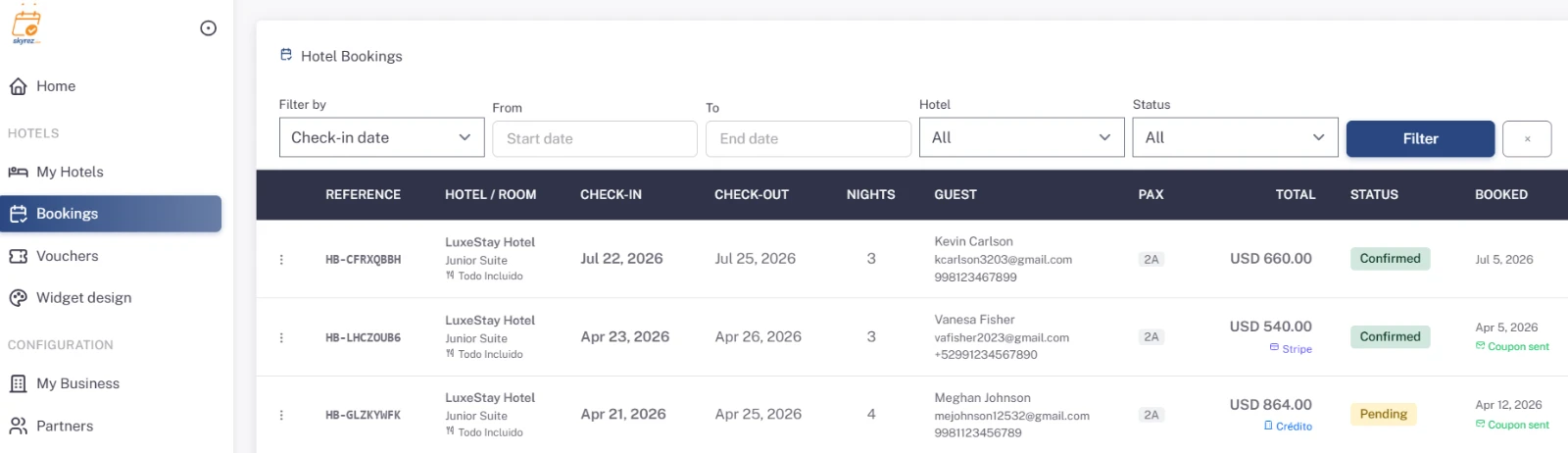
Filter by Check-in date or Booking date, by hotel and by Status, then click Filter. The table shows the reference, hotel and room, check-in, check-out, nights, guest, total and status.
Review and edit a booking
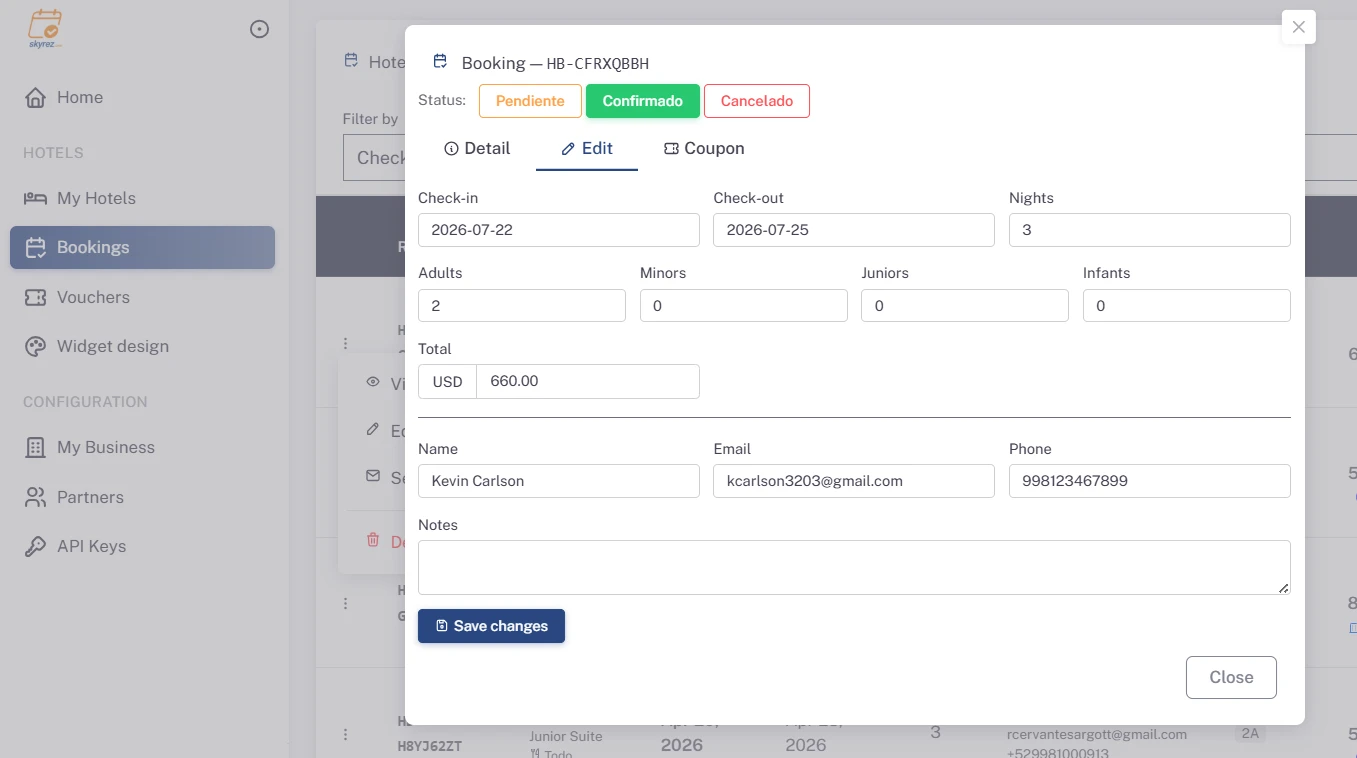
View detail shows the hotel, dates, guests (adults, minors, juniors and infants), total and contact details. Under Edit you can change the dates, guests, total, details and notes, and its status: Pending, Confirmed or Cancelled. Click Save changes.
Send the coupon to the guest
Click Send coupon. The guest receives an email with their coupon showing the booking details, arrival instructions and your policies.
Customize the coupon
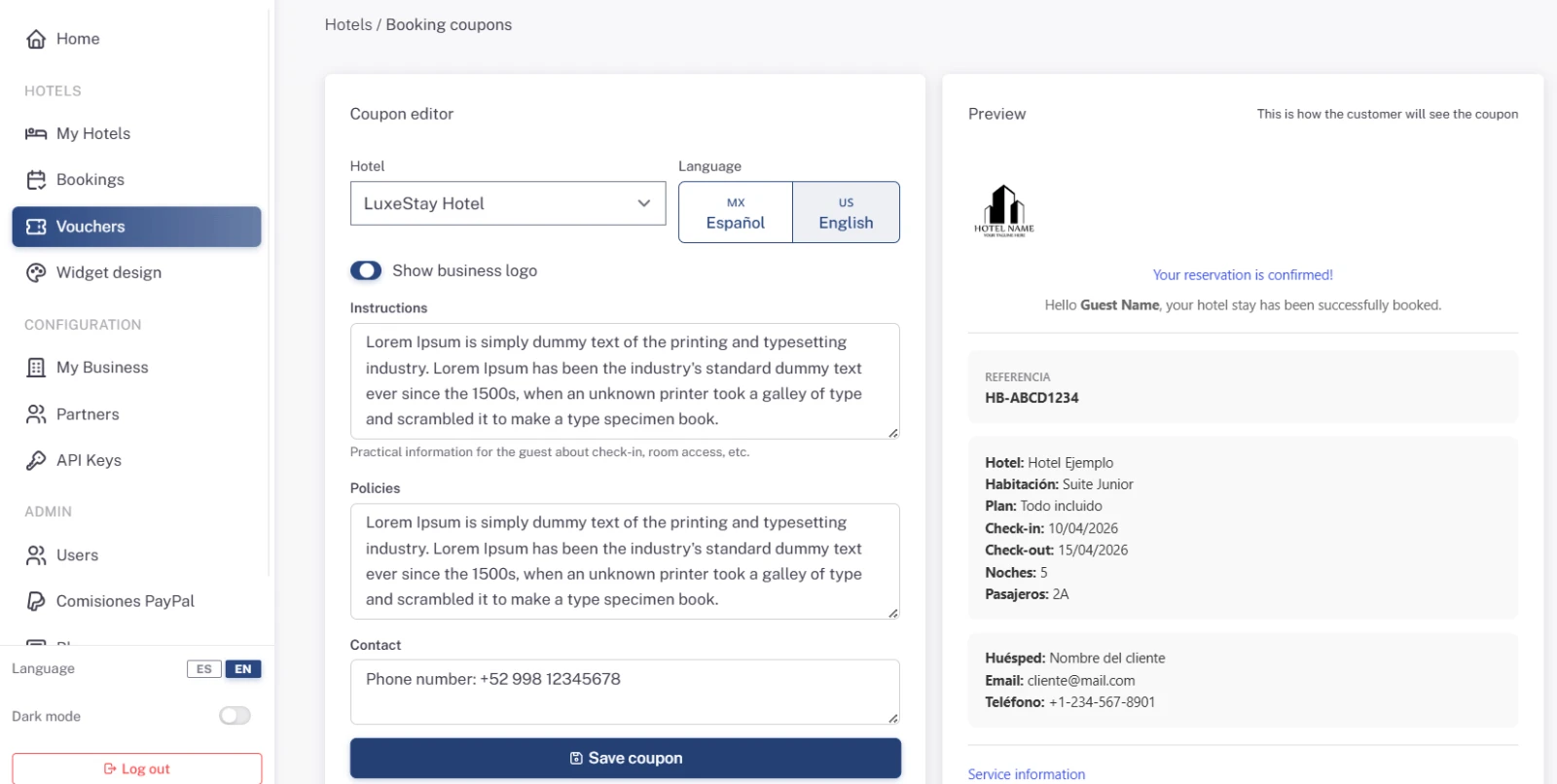
In the Hotels menu, click the vouchers option and choose the hotel and language. There you set:
- Instructions: practical information for check-in and arrival.
- Policies: cancellation, check-in and check-out times, pets…
- Contact: how the guest can reach you.
- Whether your business logo is shown.
Check the Preview and save the coupon. Do it in both Spanish and English.
Credit bookings from agencies
If an agency books with you and pays later, record it as a credit booking:
- Open the hotel and click Credit booking. The button appears once you have at least one business partner. See Add your business partners.
- Choose the Business partner, the room, the meal plan and the check-in and check-out dates.
- Enter the guests, the Agreed total with the agency and the currency.
- Enter the guest's name, email and phone.
- Click Create credit booking.
Skyrez charges no fee on credit bookings.
Block dates
If you close rooms for maintenance or sell them through another channel, use Blocks on the hotel page so the widget doesn't offer them on those dates.