In the Hotels module you first create the hotel and then its rooms. Each room is a room type (for example "Junior Suite") with the number of units you have for sale.
Create the hotel
1. Open My Hotels
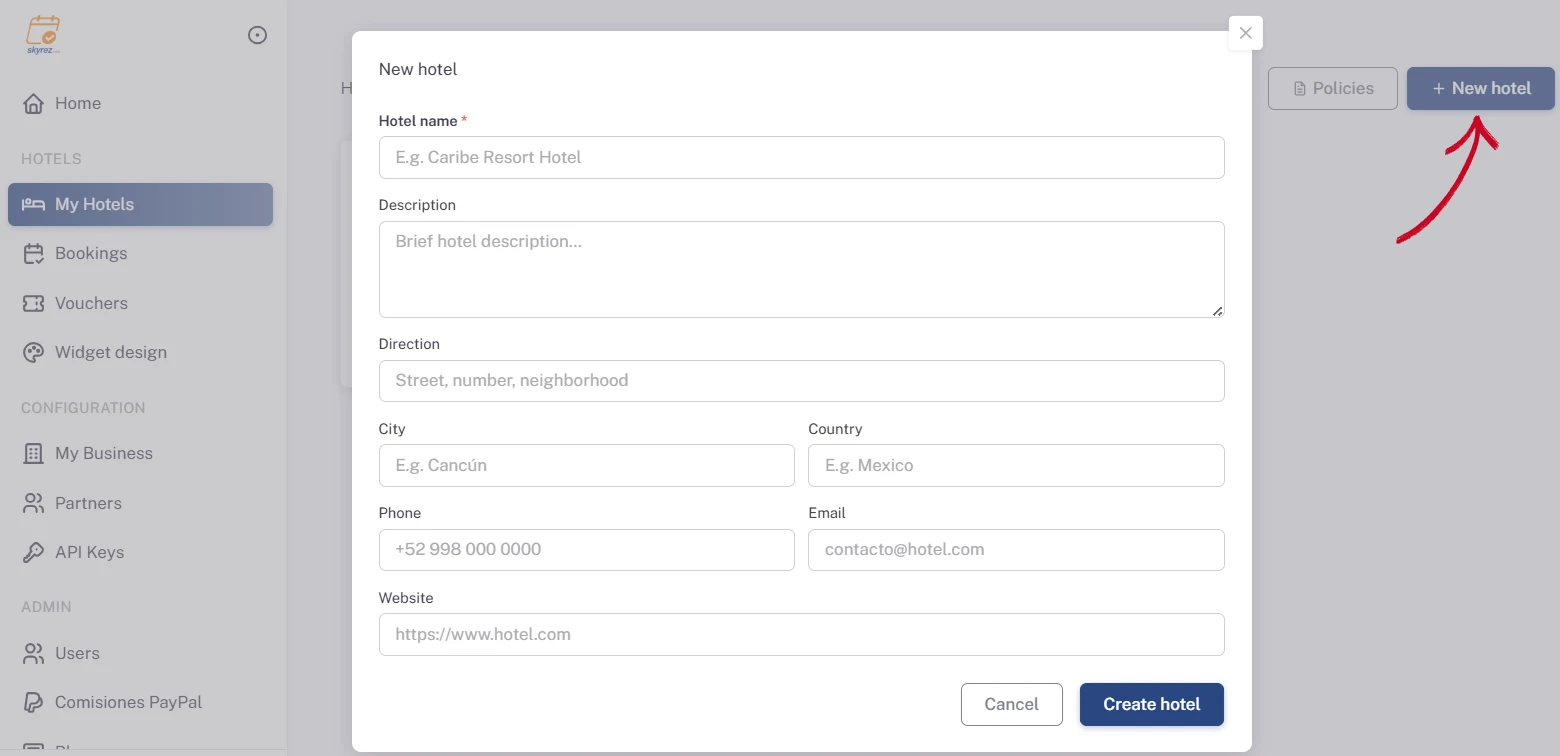
Go to the Hotels module, click My Hotels and then New hotel.
2. Fill in the hotel details
Enter the Hotel name, a short description, the address, city, country, phone, email and website. Click Create hotel.
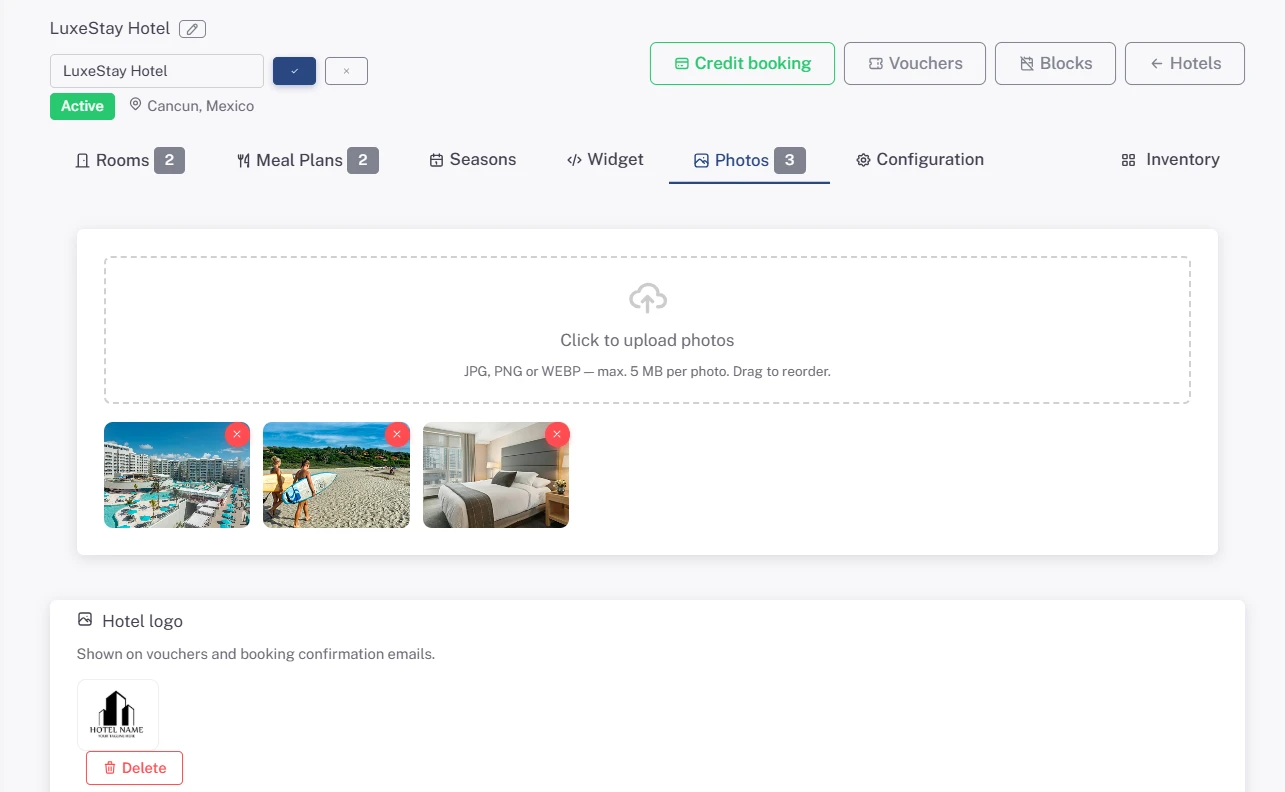
The hotel page opens with its tabs: Rooms, Meal Plans, Seasons, Widget, Photos and Configuration.
3. Upload the photos and logo
In the Photos tab, upload the hotel's photos (JPG, PNG or WEBP up to 5 MB) and drag them to reorder. Upload the Hotel logo there too: it appears on the coupons your guests receive.
Add the rooms
4. Click "Add room"
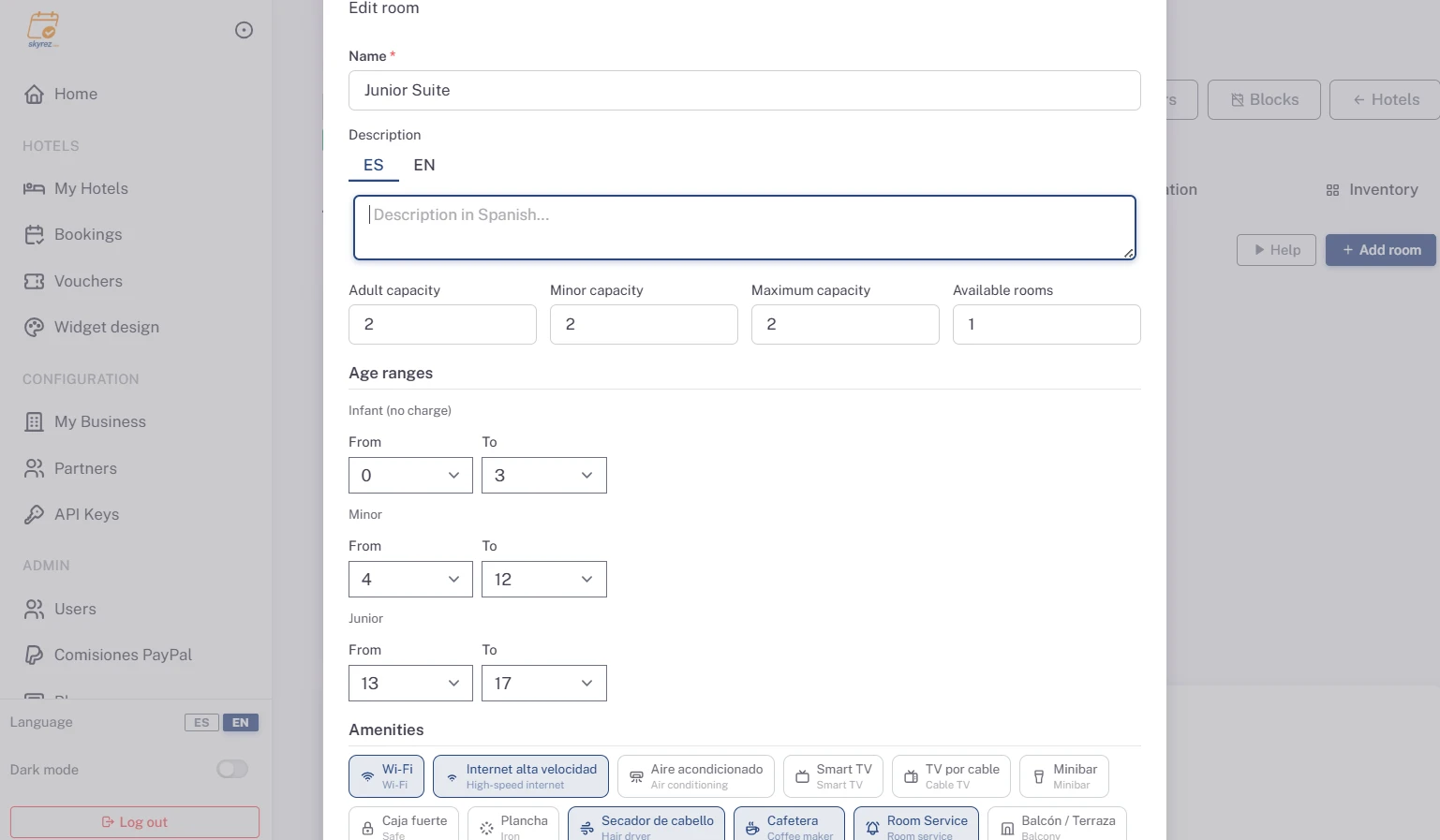
In the Rooms tab, click Add room and fill in:
- Name: for example "Deluxe Ocean View Room".
- Description, in Spanish and English.
- Adult capacity, Minor capacity and Maximum capacity (the total number of people the room holds).
- Available rooms: how many rooms of this type you have for sale. This is your inventory.
- Age ranges: up to what age a child is an infant (free of charge), and the minor and junior ranges. This tells the system which rate to apply to each child.
- Amenities: air conditioning, Wi-Fi, ocean view…
Click Save.
5. Add the room's photos
Open the room again with Edit and, under Photo gallery, click Add photo. Photos can be added after the room is saved for the first time.
6. Repeat for each room type
Add all your room types.
Next step
Price your rooms: Meal plans, seasons and rates.
Hotel details and status
In the Configuration tab you can edit the hotel details and its Status. The hotel must be Active for the widget to work on your site.