Availability is set per service. That way you can, for example, run "From Cancún" every day and "From Tulum" only on weekends.
1. Open the service's availability
On the tour page, Services tab, click Availability on the service card.
2. Choose the operating days
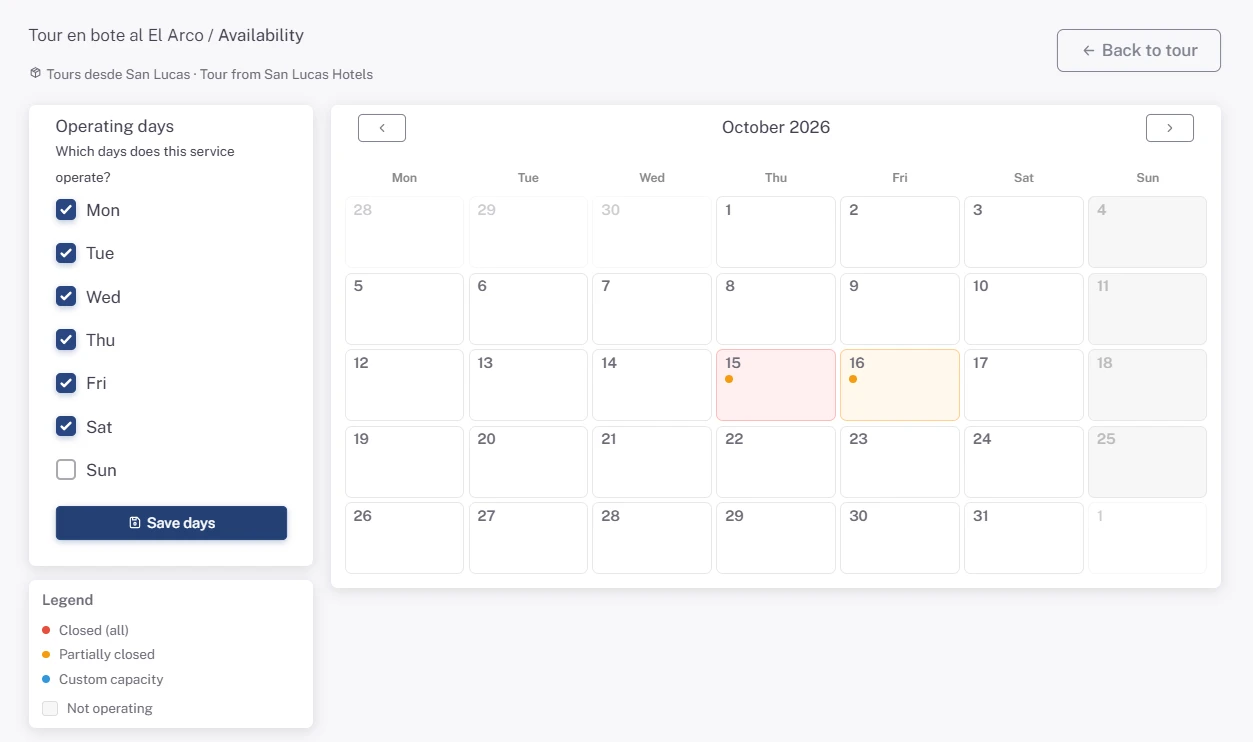
Under Operating days, check the weekdays the service runs and click Save days. Days you don't check show on the calendar as not operating, and customers can't pick them.
3. Close a date or a departure
On the calendar, click the day you want to change:
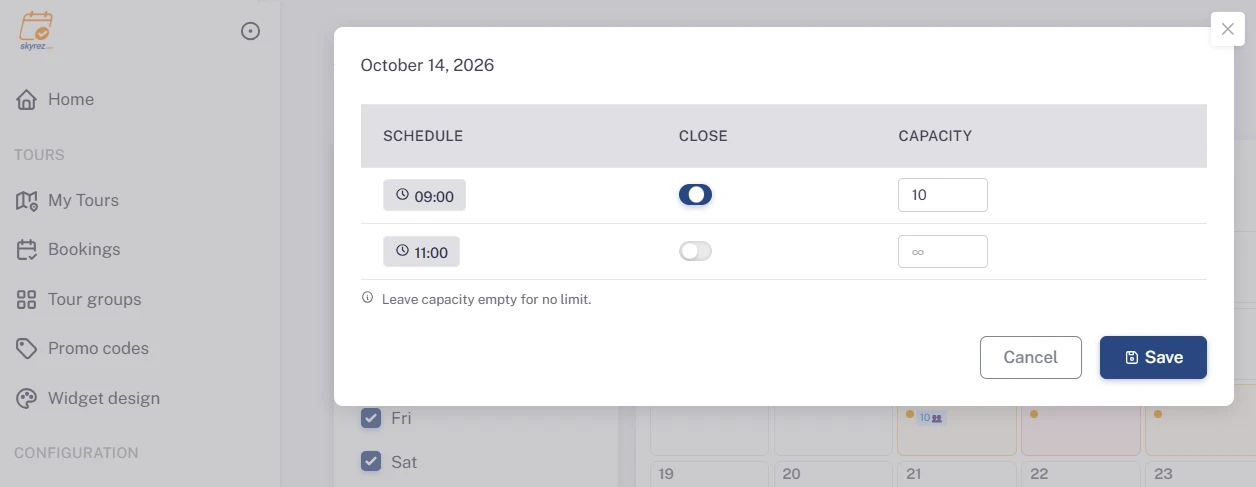
- If the service has fixed schedules, you'll see one row per departure time. Turn on the close switch for the departures that won't run that day.
- If the service has no schedules, turn on Close this day.
Click Save.
4. Cap the number of people (optional)
In the same window you can enter the capacity: the maximum number of people for that day or that departure. Leave it empty for no limit.
If you don't enter a capacity, the service has no limit on people. Set the capacity on dates when your space is limited, for example by the size of the boat or the vehicle.
Reading the calendar
- Fully closed: the whole day is closed.
- Partially closed: some departures that day are closed.
- Custom capacity: the day has a set capacity.
- Not operating: that weekday isn't one of your operating days.
Closing the whole tour
If you stop selling the tour for a while, instead of closing day by day change its Status to Inactive in the Information tab. The widget will stop showing it until you activate it again.
Was this article helpful?
Questions? [email protected]