Each tour needs at least one service. The service is the option customers book, and it has its own prices and schedules. For example, a Chichén Itzá tour might have the services "From Cancún" and "From Playa del Carmen", or "Shared" and "Private".
1. Add a service
On the tour page, open the Services tab and click Add service. Fill in:
- Name and Name in English: for example "Desde Cancún" / "From Cancún".
- Currency: US dollar, Mexican peso or euro.
- Schedules: Fixed schedules if it departs at set times, or No schedules if customers can arrive whenever they like (for example, a park).
- Pricing model:
- Per person: one price per adult, minor and infant.
- Private group: one price per group based on the number of people (for example, 1 to 4 people = $300).
- Minors allowed and infants allowed, with their ages: the minor's minimum and maximum age, and up to what age a child counts as an infant.
- Active service.
Click Save.
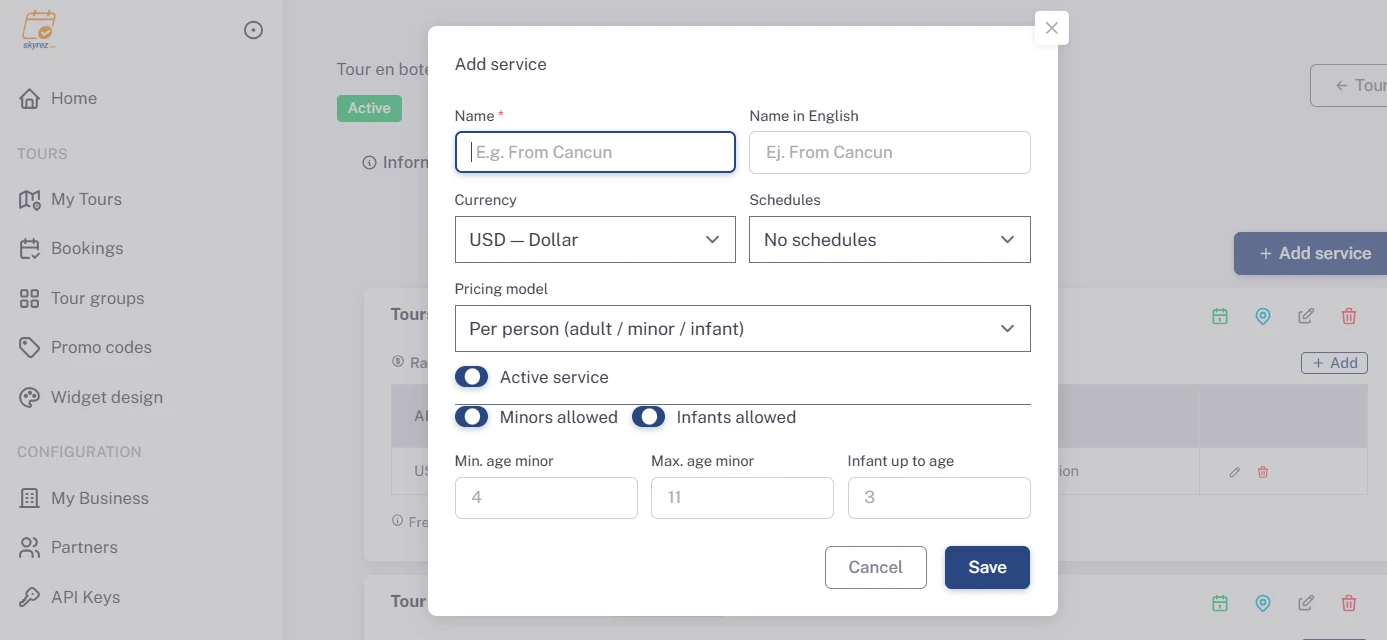
2. Add the rates
On the service card, under Rates, click Add.
- If the service is per person, enter the Adult, Minor and Infant prices.
- If it's a private group, add one or more ranges with minimum pax, maximum pax and Group price. Use Add range to add more. The minor and infant price is fixed across all ranges.
With Valid from and Valid until you can have different prices per season. Leave them blank for a rate with no expiry date.
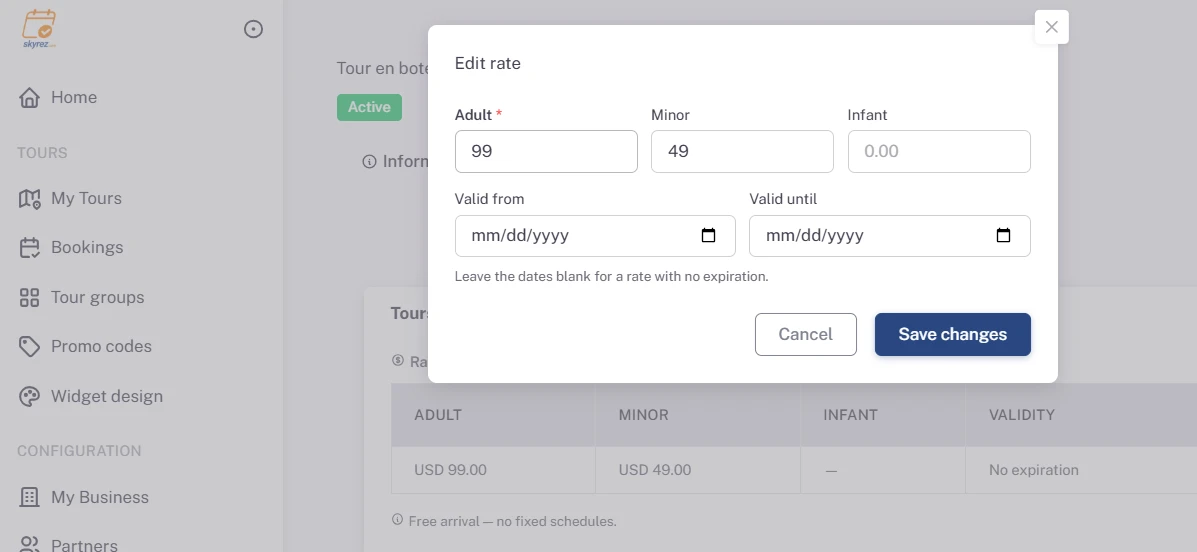
If two rates on the same service have overlapping dates, you'll see a warning: the widget uses the most recent one. Check the dates so each day has a single price.
3. Add the schedules
If you chose Fixed schedules, click Add under Schedules, pick the Time and, optionally, a Label such as "Morning departure". Repeat for each departure time.
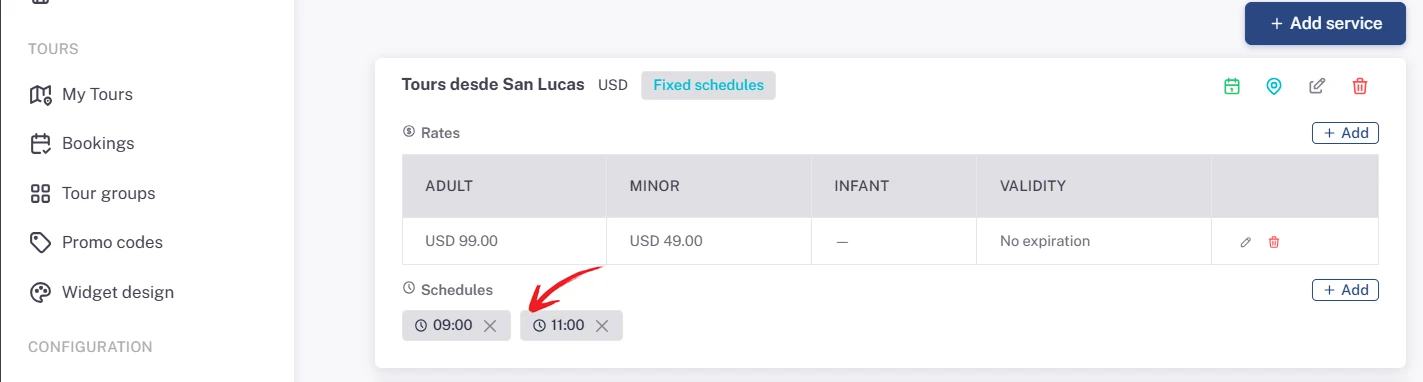
4. Check availability
From the service card, Availability lets you choose which weekdays it runs and close dates. See Your tour's availability and closures.
Pickup points
If you pick customers up, use Pick-up zones on the service card to define the zones and hotels where you collect them.