In Transportation, a route is an origin point (for example, Cancún airport) with its destination zones. Each zone is an area on the map with the hotels and places that share a price, such as "Hotel Zone" or "Playa del Carmen".
Create the route
1. Open Routes
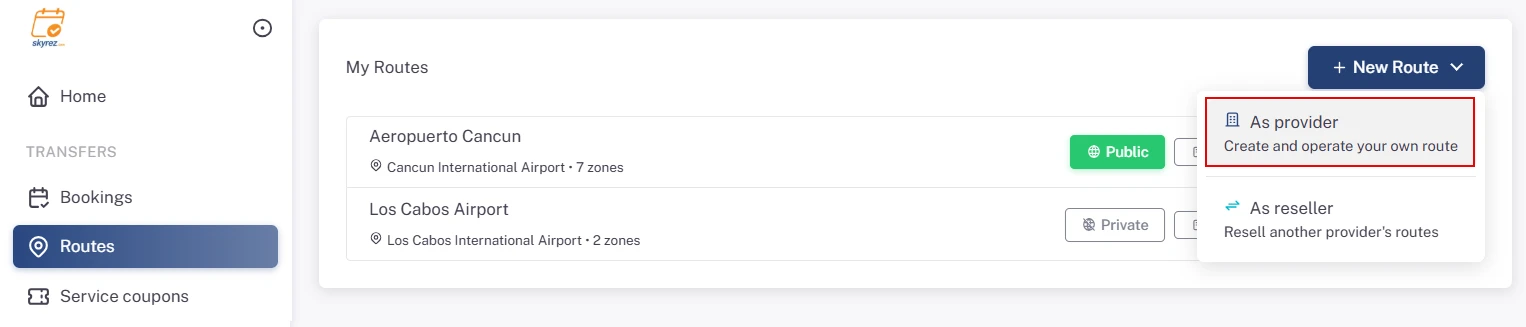
Go to the Transportation module and click Routes in the menu. Then click New Route and choose As provider (create and operate your own route).
2. Fill in the route details
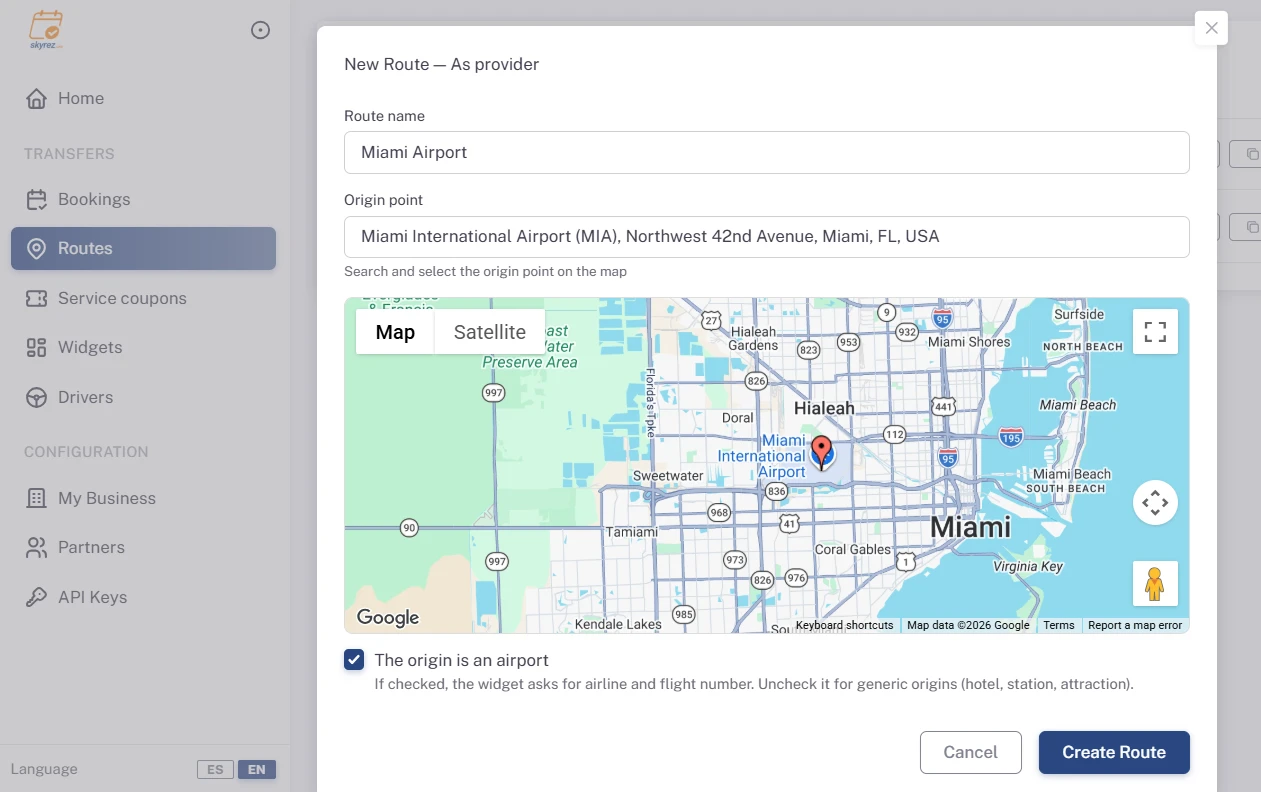
- Route name: for example "CUN Airport → Destinations".
- Origin point: search for it on the map and select it.
- Origin is an airport: leave it checked if you depart from an airport; the widget will then ask customers for their airline and flight number. Uncheck it if the origin is a hotel, a station or an attraction.
Click Create Route.
Create the zones
3. Open the route's configuration
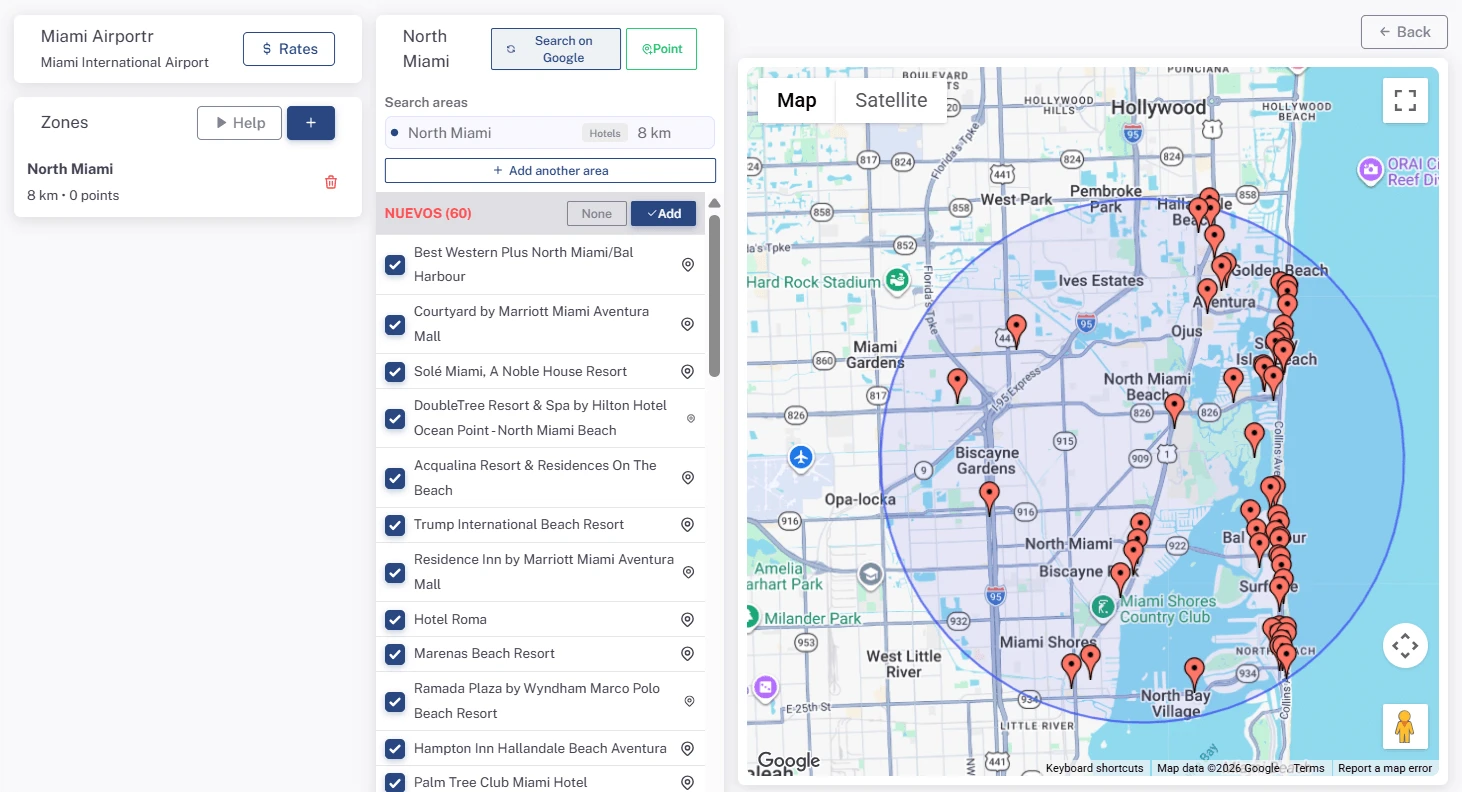
In the routes list, click Configure. You'll see three columns: your zones, the points of the selected zone, and the map.
4. Add a zone
Under Zones click +. Enter the Zone name and the Radius (km), and drag the pin to the center of the area. Click Create Zone.
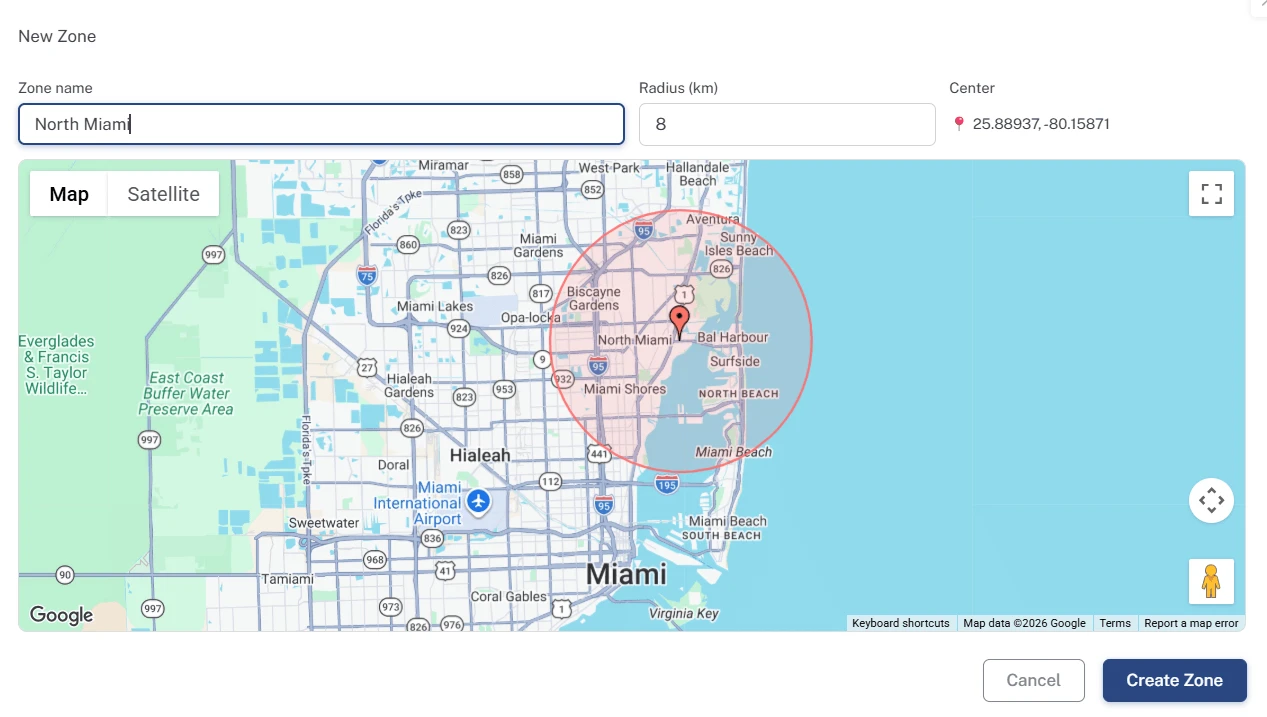
If an area doesn't fit well in a single circle, you can add more circles to the same zone with Add area.
5. Add the zone's hotels
Click the zone. Skyrez searches Google for the hotels inside the area and lists them as NEW. Check the ones you want and click Add; they move to SAVED. These are the places customers can choose as their destination.
If one is missing, search again with the Google search button, or use the point button to add any place by hand: a bus station, an Airbnb, a meeting point…
6. Repeat for your other zones
Create one zone for each group of destinations with the same price.
More route options
In the routes list, the Booking details button lets you:
- Write notes customers will see in the widget when booking (for example, your cancellation policy).
- Set the Cut-off: the minimum number of hours in advance a booking needs.
Duplicate route copies all the zones and points to a new route with a different origin; handy if you operate from two airports.
Next step
Price each zone: Set up your rates by zone and vehicle.