In the Rentals module each property is a house, villa or apartment. Inside the property you set up its configurations: the ways it can be rented (for example "1-3 Bedrooms" for up to 6 guests or "4 Bedrooms" for up to 10).
Create the property
1. Open My Properties
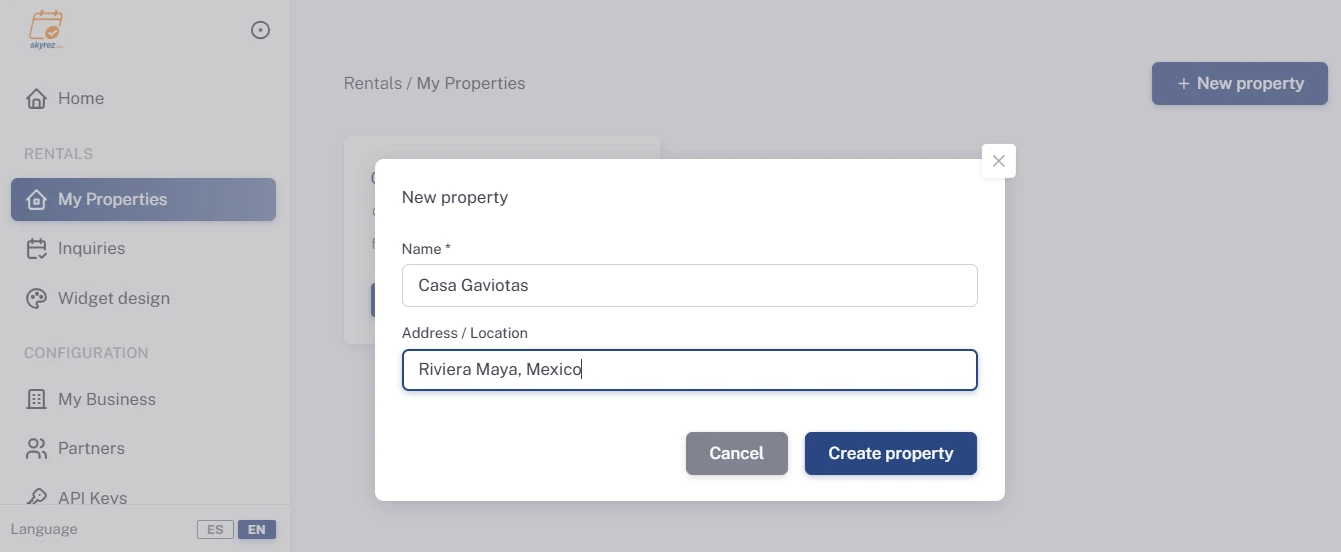
Go to the Rentals module, click My Properties and then New property.
2. Enter the name and location
Enter the Name (for example "Villa Mar Azul") and the Address / Location. Click Create property.
3. Complete the information
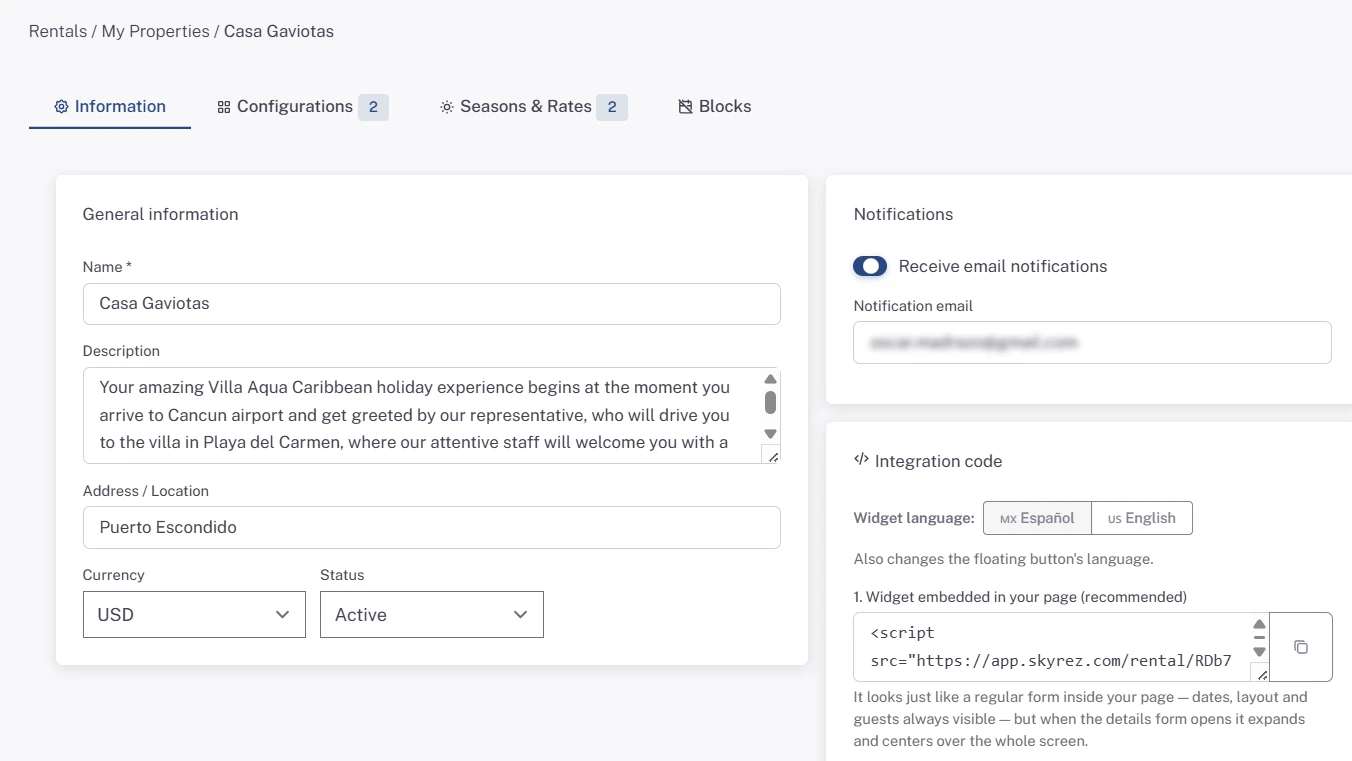
In the property list, click Configure. In the Information tab fill in:
- Description of the property.
- Currency you charge in (for example USD or MXN).
- Status: it must be Active for the widget to work.
- Notifications: turn on Receive email notifications and enter the Notification email. You get an alert there every time someone sends a request.
Click Save changes.
Add the configurations
4. Create a configuration
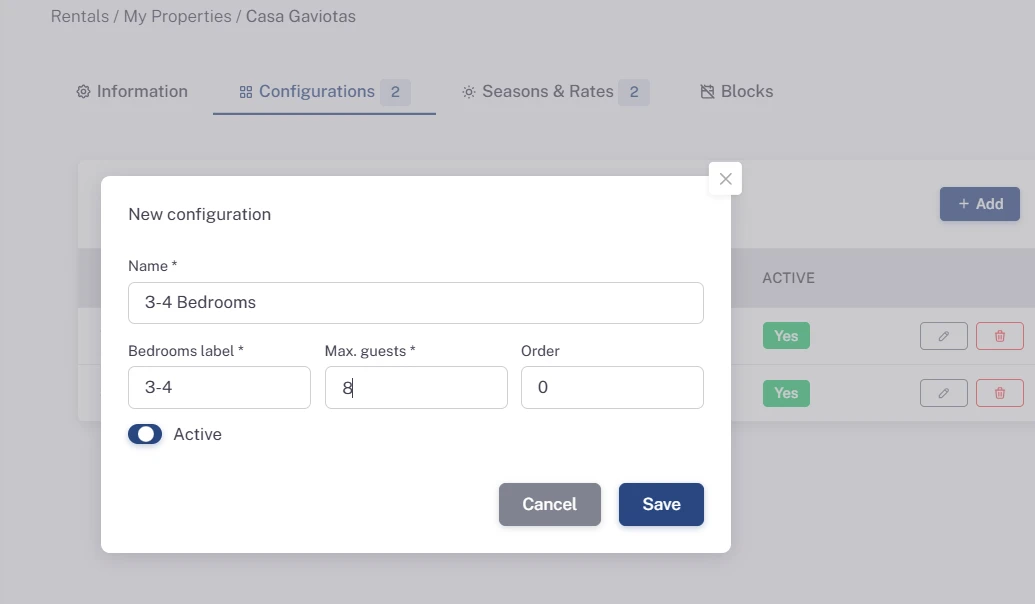
In the Configurations tab, click Add and fill in:
- Name: what the guest sees, for example "1-3 Bedrooms".
- Bedrooms label: the number of bedrooms, for example "1-3".
- Max. guests: how many people fit with this configuration.
- Order: where it appears in the widget.
Click Save. If the property is rented only one way, one configuration is enough.
Install the widget
In the Information tab, under Integration code, choose the Widget language and copy the code you prefer:
- Widget embedded in your page (recommended): the calendar shows inside your page.
- Floating button: a button in the corner that opens the same widget.
Paste the code into your website. If you're not sure where, see Install the widget on your website. To change colors and the button style, see Customize the widget design.
Next step
Set your prices: Seasons, rates and blocked dates for your rental.