In Rentals the guest doesn't pay in the widget: they send a request with their dates, configuration and number of guests. You review it and confirm it.
How a request arrives
- The guest picks their dates on the widget calendar, the configuration and the number of guests. The widget shows the nightly breakdown and the estimated total.
- They enter their name, email, phone and notes, and send the request.
- The guest receives an "Inquiry received" email with their reference number.
- If you turned on notifications in the property's Information tab, you get an alert at the Notification email.
From then on, those dates are taken on the widget calendar so no one else can request them.
Review your requests
1. Open Inquiries
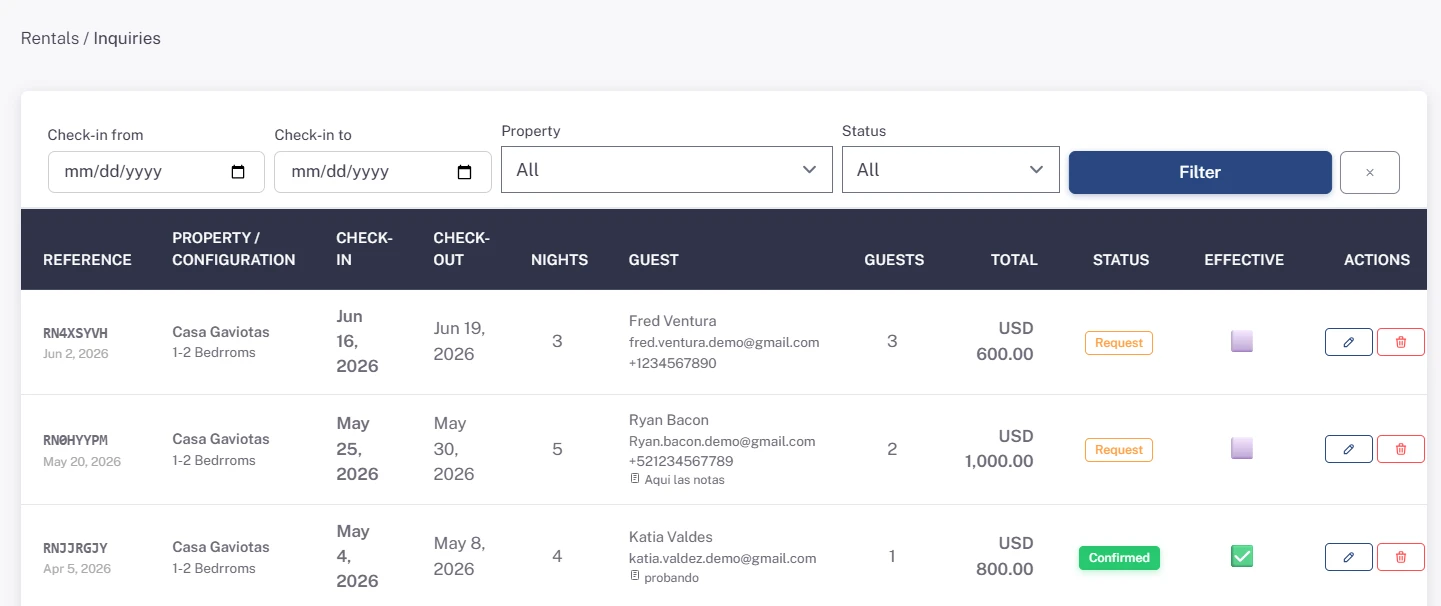
In the Rentals module, click Inquiries. You'll see the reference, property and configuration, check-in, check-out, nights, guest, number of guests and total.
2. Filter
Use Check-in from, Check-in to, Property and Status and click Filter.
Confirm, edit or cancel
3. Change the status
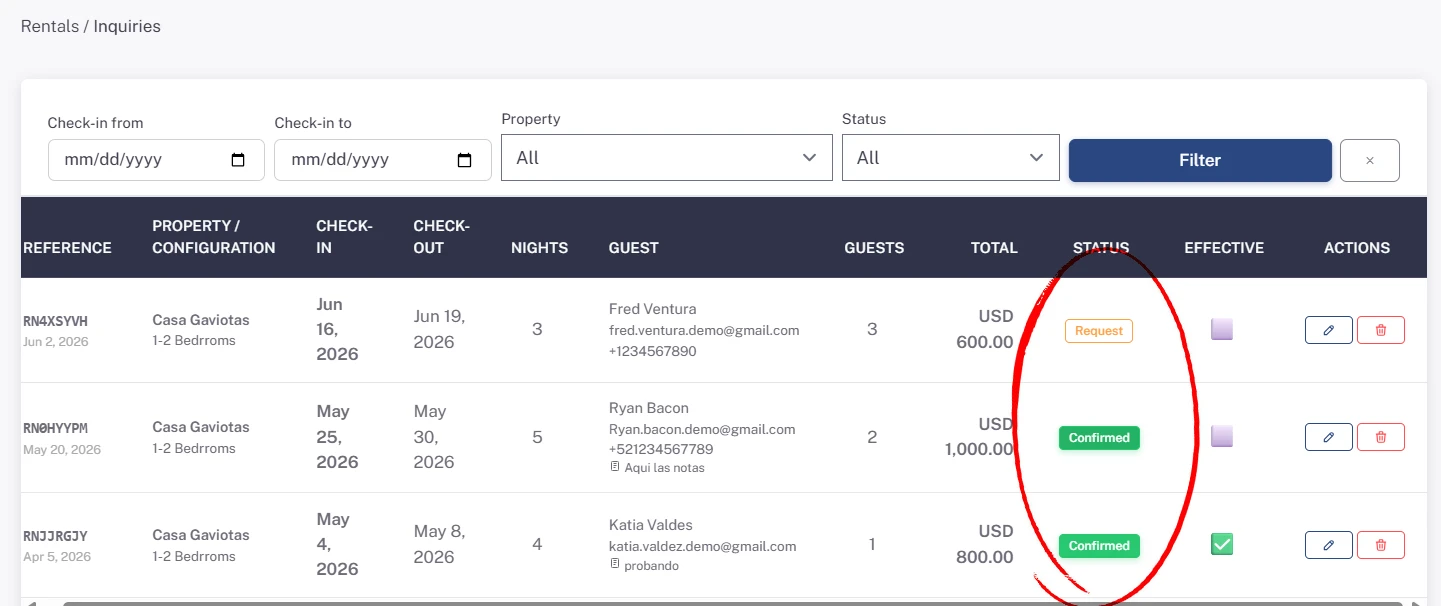
The button in the Status column shows whether the request is a Request (pending) or Confirmed. Click it to confirm; click again to set it back to pending.
When you confirm it, the guest receives a "Booking confirmed" email with their stay details. You agree on the payment directly with them.
4. Edit a request
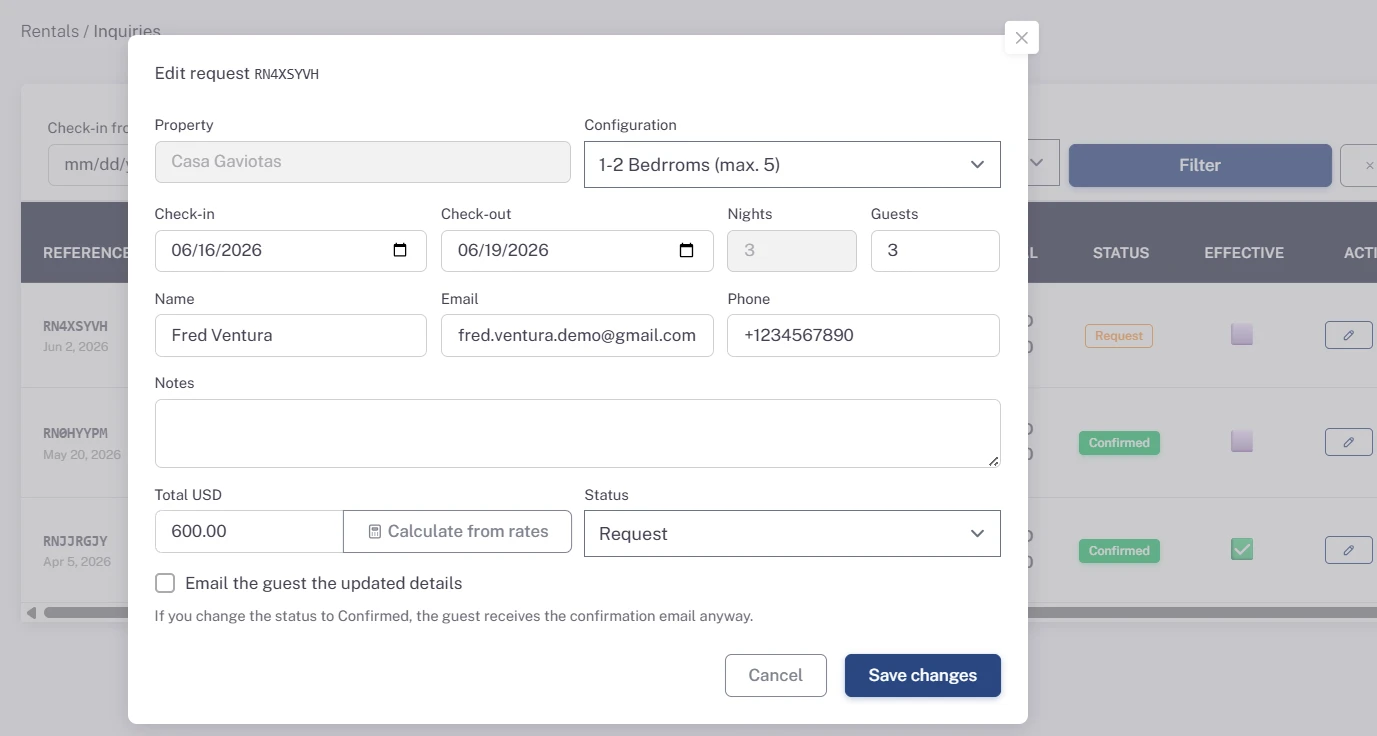
Click the pencil button (Edit) to change the dates, configuration, number of guests, guest details, notes, total or status. The nights are calculated automatically.
- Calculate from rates: fills in the Total with your seasonal rates for the new dates and configuration. You can also type it yourself, for example if you gave a discount.
- If the new dates overlap another request for the same property, Skyrez won't let you save and tells you which one.
- Check Email the guest the updated details so the guest receives their new details. If you change the status to Confirmed, the confirmation email is sent anyway.
- To cancel a request without deleting it, change its Status to Cancelled: its dates are freed in the widget and you keep it in your history.
Click Save changes.
5. Mark the ones that happened
The Effective column is an internal mark (✅ / ⬜) to keep track of the rentals that actually took place. Click to turn it on or off.
6. Delete a request
If a request doesn't go ahead and you don't want to keep it, delete it with the trash button. Its dates are freed in the widget.
Connect your systems
If you use a CRM or your own system, you can receive each request by webhook. Set it up in My Business, under Webhooks.