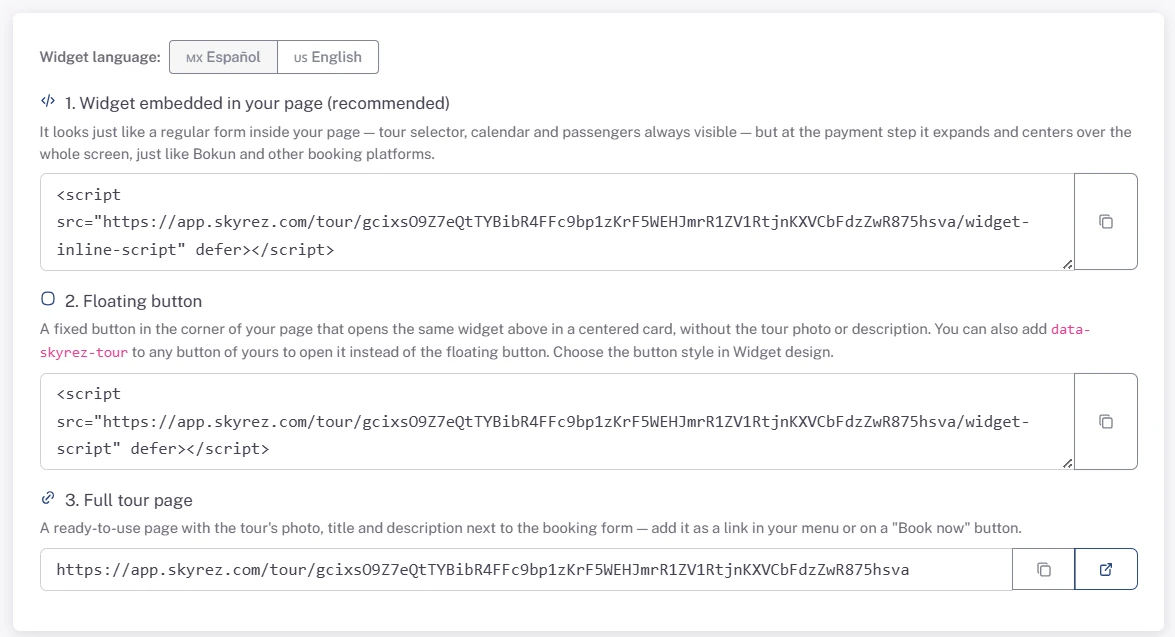
The Skyrez code is a single line that starts with <script. You paste it once and the widget updates itself whenever you change prices, schedules or photos in your dashboard: you never have to paste it again.
1. Copy the code
Open what you want to sell (a tour, a hotel, a transportation widget…) and go to its Widget section. Pick the language and click Copy on the integration type you prefer. If you're not sure which one, use the embedded widget. See Integration types.
In Tours, the tour must be Active for the widget to show on your site. In Transportation, the widget needs at least one route added.
2. Paste it on your site
The code goes in the exact spot on the page where you want the widget to appear. The floating button code can go anywhere on the page, since the button always shows in the corner.
WordPress
- Edit the page where you want the widget.
- Add a Custom HTML block.
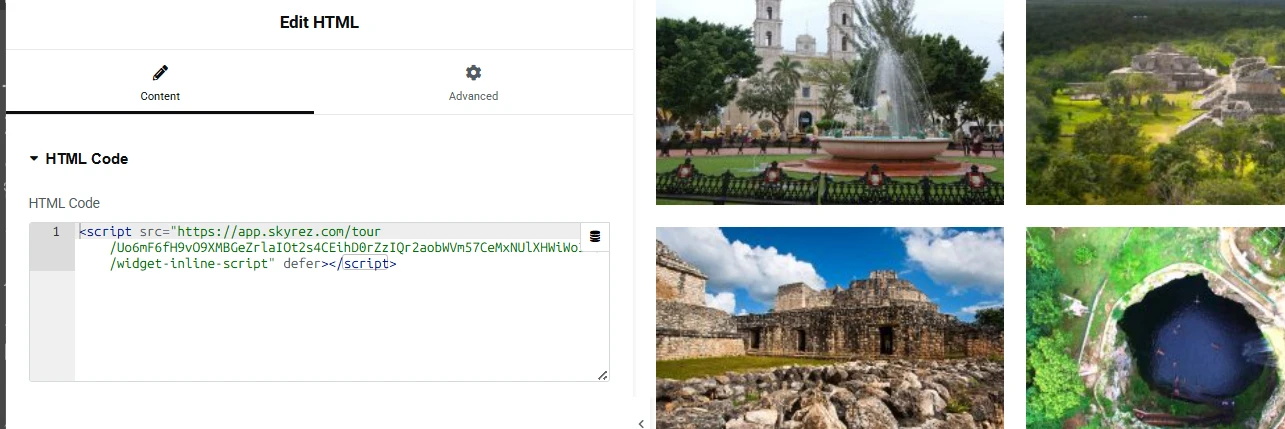
- Paste the code and update the page.
If you use Elementor, use Elementor's HTML widget and paste the code there.
To show the floating button across your whole site, paste it in your theme's footer or use a header-and-footer code plugin (for example, WPCode).
Wix, Squarespace and other site builders
These builders usually place pasted code inside a fixed-size box, where the widget can look cut off. The simplest options are:
- Floating button: paste it in the site's custom code section (in Wix: Settings → Custom Code, placed in the body). That way it shows on every page.
- Link to the full page: put the link to the full tour page, hotel page or booking page on a "Book now" button.
HTML site
Paste the code inside the <body>, where you want the widget to appear.
3. Check that it works
Open your page in the browser (and on your phone). Run a test search to see dates and prices. If you haven't connected Stripe yet, you can complete a test booking and then delete it from Bookings.
If the widget doesn't show up
- Check that you pasted the whole code, from
<scriptto</script>. - Check that the tour, hotel or widget is Active.
- If you use a caching or optimization plugin (WP Rocket, LiteSpeed, etc.), clear the cache. If it still doesn't appear, exclude the Skyrez script from the "delay JavaScript" option.
- If nothing works, email us at [email protected] with your page's link.