Every module gives you a code snippet to paste on your website and, in most of them, a link to a ready-made page as well. You'll find them in the Widget tab or section of each tour, hotel, route or property, under Embed code.
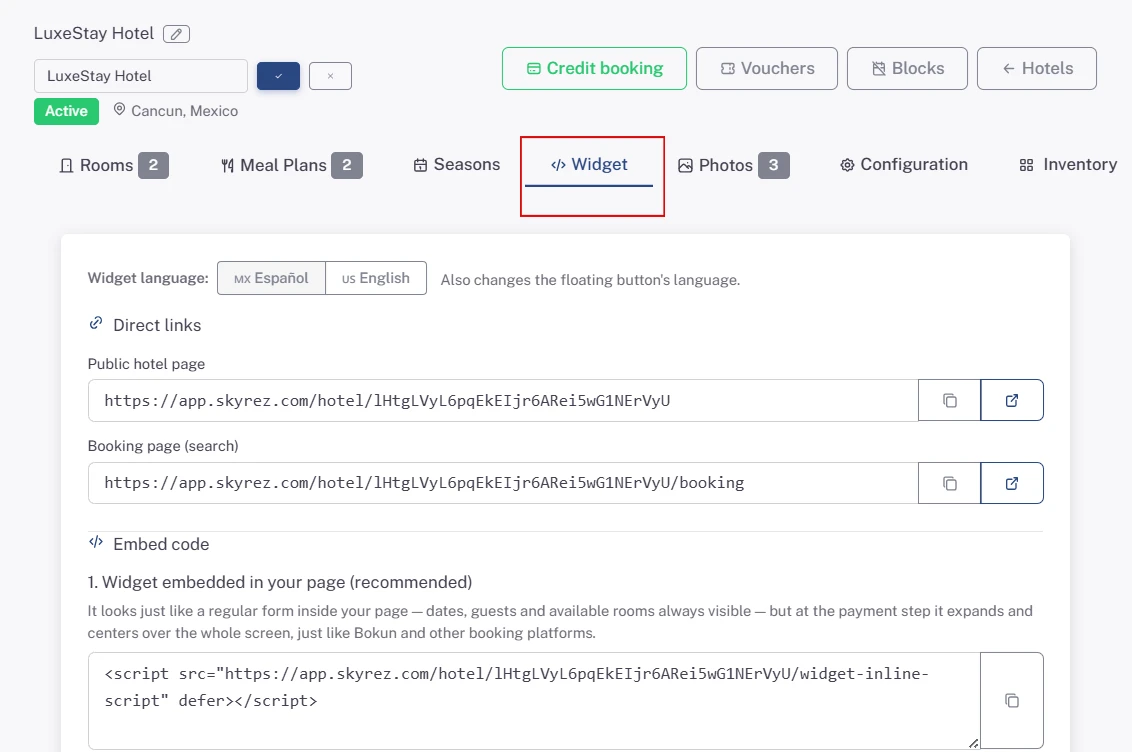
1. Embedded widget (recommended)
The booking form appears inside your page, like any other content: customers see the dates, passengers and prices without clicking anything. When they reach the payment step, the widget expands and centers on the screen so they can finish comfortably.
Use it on each service's page or on your "Book now" page.
2. Floating button
A fixed button in a corner of your site, visible on every page where you paste the code. Clicking it opens the same widget in a centered window.
Use it when you want customers to be able to book from anywhere on your site without changing your layout. You can choose the button style and whether it sits on the left or the right. See Customize your widget's design.
In Tours and Hotels you can also use your own button: add thedata-skyrez-tour(Tours) ordata-skyrez-hotel(Hotels) attribute to any button on your site and it will open the widget instead of the floating button.
3. Full page (link)
A page hosted by Skyrez with photos, description and the booking form. You don't paste any code: just copy the link and add it to a button, your menu, your social media or WhatsApp.
- In Tours: the full tour page.
- In Hotels: the public hotel page and the booking page with search.
- In Transportation: the booking Pages, under Widgets.
Use it if your site doesn't allow pasting code, or to share by message or on social media.
Language
Above the code snippets there's a Español / English selector. Pick the language before copying the code: it changes the widget's language and the floating button's text. If your site is bilingual, paste the Spanish code on your Spanish pages and the English code on your English pages.
Next step
Paste the code on your site: Install the widget on your website.