In Attractions the guest doesn't pay in the widget: they pick the date, time and tickets, and the booking is confirmed right away. Each person gets their own ticket with a QR code and a folio.
How a booking arrives
- The guest picks the date, the time slot and how many tickets of each category they want.
- They enter their name, email and phone and confirm.
- They receive a "Your tickets" email with a PDF attached: one ticket per person, each with its QR, its folio (for example AT-ABC12345-01) and its conditions, such as age or whether ID is required.
Tickets sold are subtracted from that time slot's capacity.
Review your bookings
1. Open Bookings
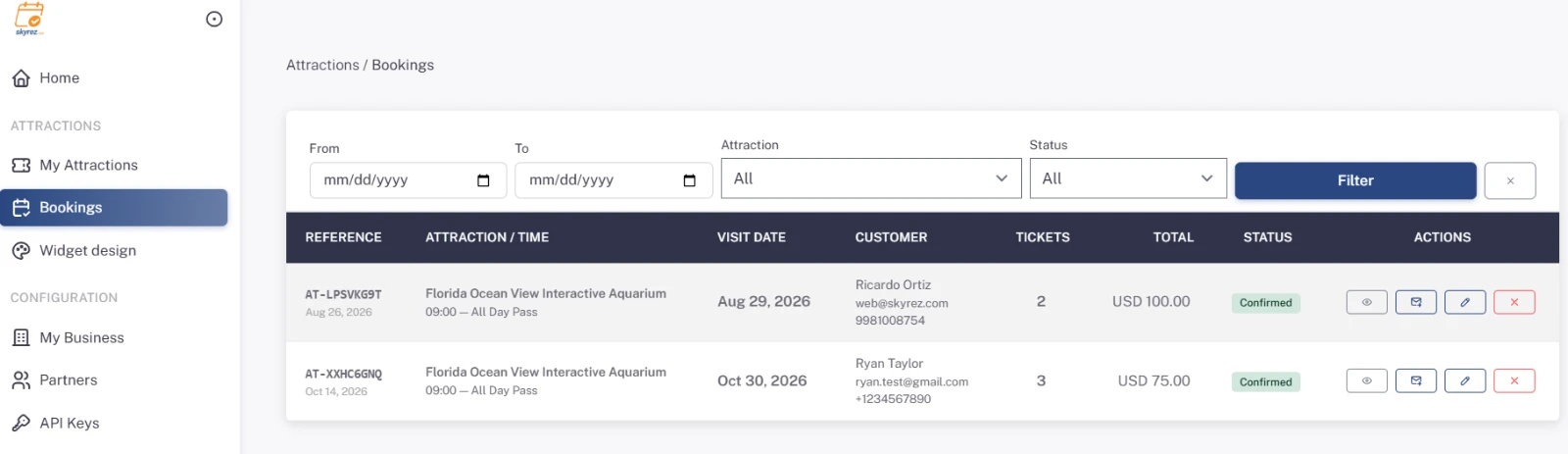
In the Attractions module, click Bookings. You'll see the reference, attraction and time, visit date, guest, tickets and total.
2. Filter
Use From, To, Attraction and Status and click Filter.
3. See the detail
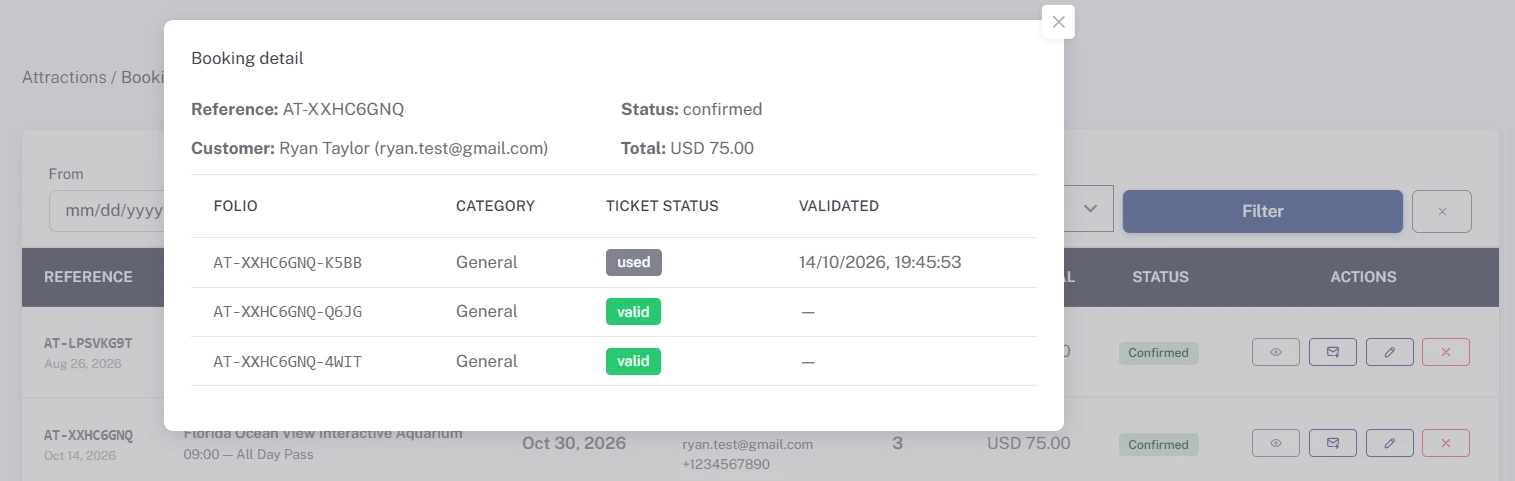
Click View detail to see each ticket with its Folio, Category and Ticket status: if it's been used, it shows as Validated.
4. Resend or cancel
- Resend tickets: if the guest can't find their email, send them again.
- Cancel: cancels the booking and its tickets are invalidated; if someone tries to use them, validation rejects them.
Validate tickets at the entrance
5. Open Validate tickets
In My Attractions, click Validate tickets on your attraction. Do it from the phone or tablet of the person who receives visitors, logged in to Skyrez.
6. Scan the QR
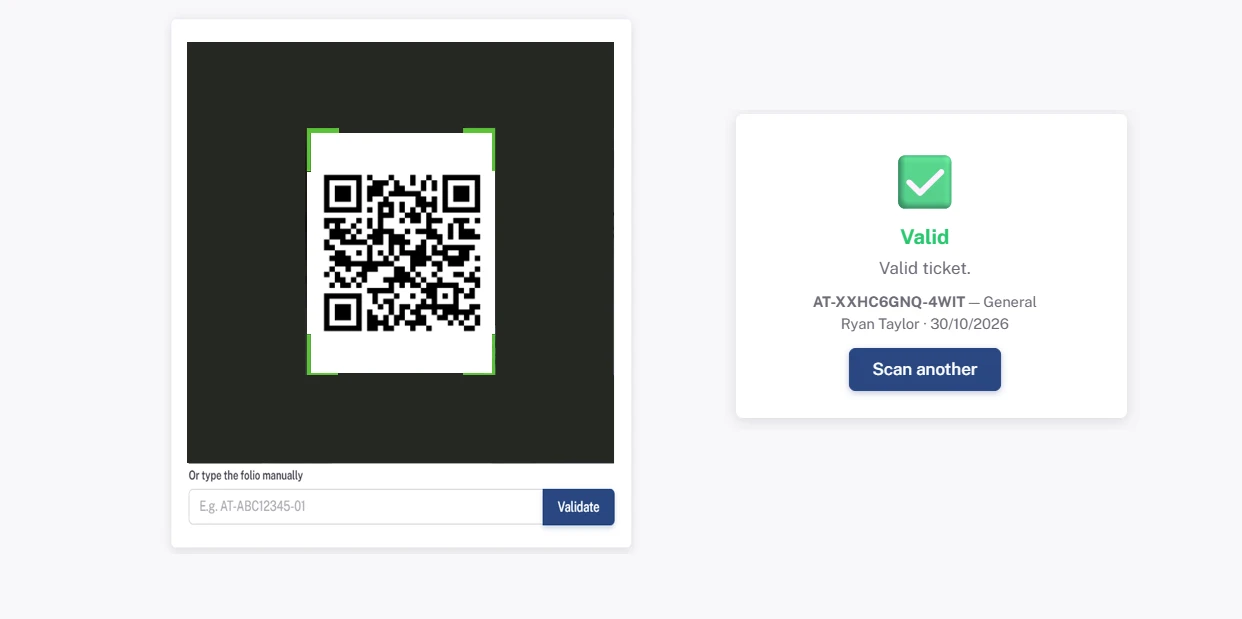
Allow camera access and point it at the ticket's QR (on the guest's phone or printed). If the camera doesn't work, type the folio in Or type the folio manually and click Validate.
7. Check the result
- Valid: the ticket is marked as used and the person can go in.
- Rejected: the ticket was already used (it shows the date and time it was validated), is cancelled or doesn't exist.
Click Scan another for the next visitor. Each ticket can be used only once.