Your service periods apply every day. When you close for a day, have a private event or a time slot is already full, close it under Schedule closures and it stops showing in the widget.
You need at least one service period. See Create your restaurant and its schedules.
Close time slots
1. Open Schedule closures
In My Restaurants, click Configure on your restaurant and then the Schedule closures tab. A monthly calendar opens.
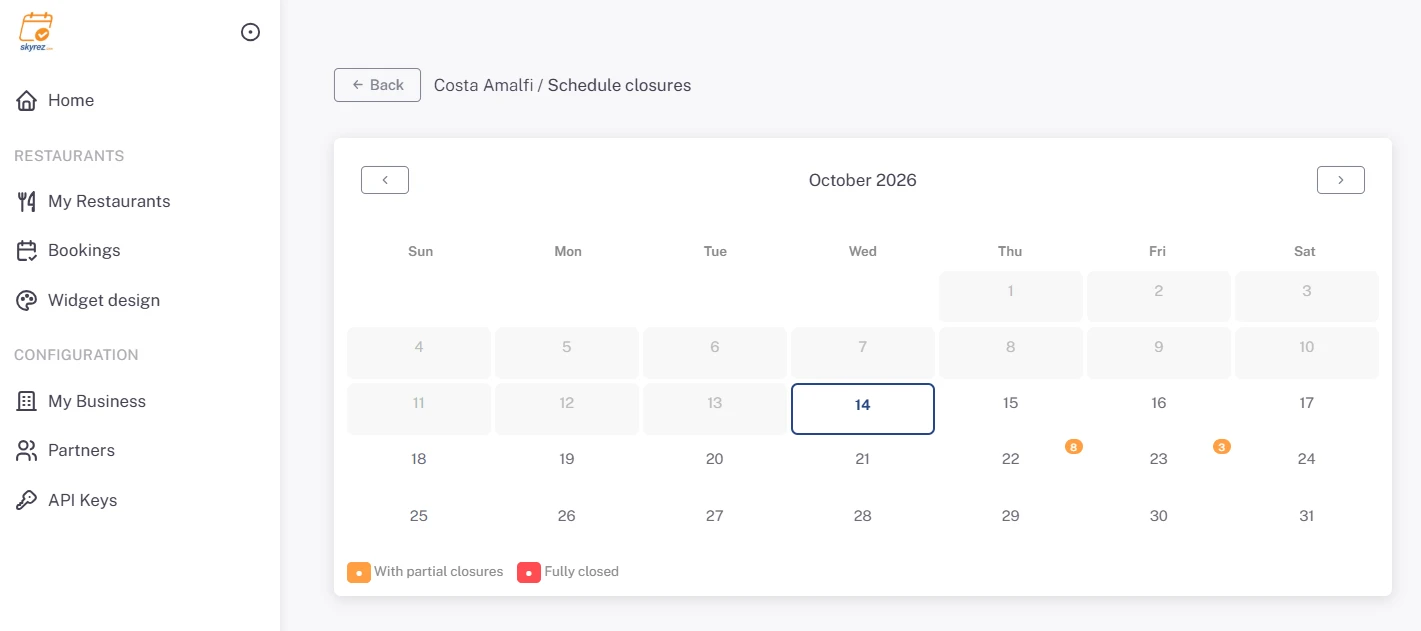
2. Pick the day
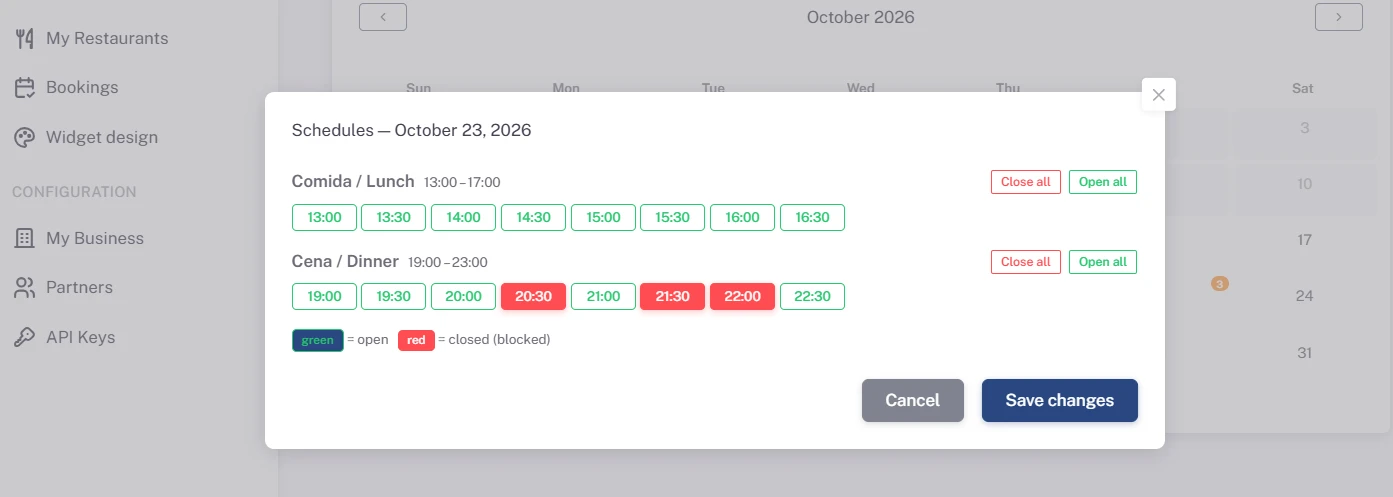
Click the day you want to change. Day schedules opens with every time slot of each period:
- Green: open.
- Red: closed (blocked).
3. Close or open time slots
Click each time slot to close or open it. Each period has Close all and Open all buttons to close or open all its time slots in one click; to close the whole day, use Close all on every period. Click Save changes.
On the calendar, days are marked Fully closed or With partial closures, so you can see your month at a glance.
When to use closures
- Days off or holidays: close the whole day.
- Private events: close only the event's time slots.
- Fully booked: the widget doesn't limit how many bookings fit in the same time slot. When a slot is full, close it so no one else books it.
Keep in mind that if you change the Interval between bookings in Information & settings, all closures are deleted and you have to set them again.