My Business holds your company details. It's worth filling it in first: these details appear on the vouchers your customers receive, and you need them to connect Stripe.
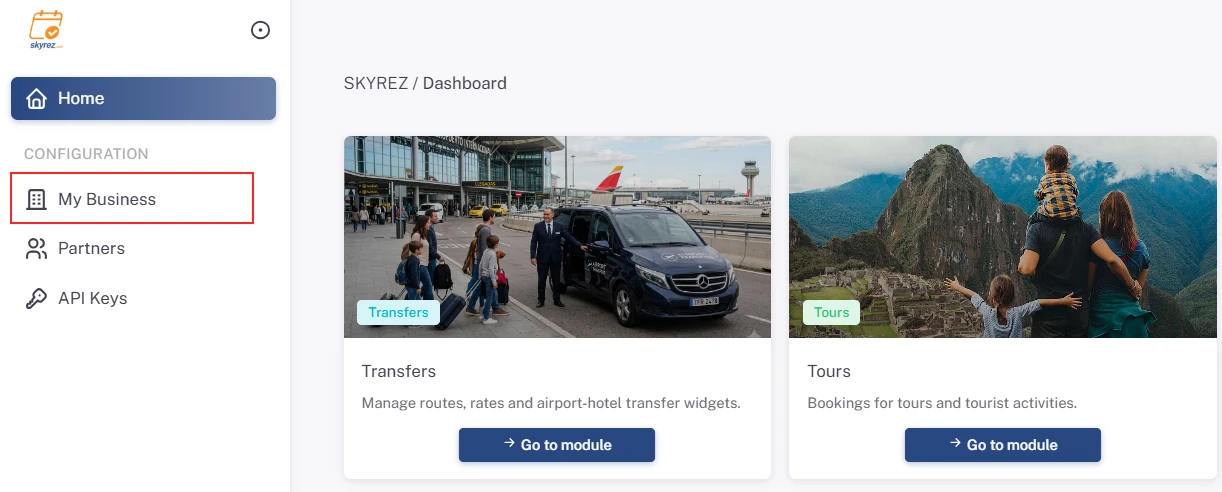
1. Open My Business
In the left menu, under Configuration, click My Business.
2. Upload your logo
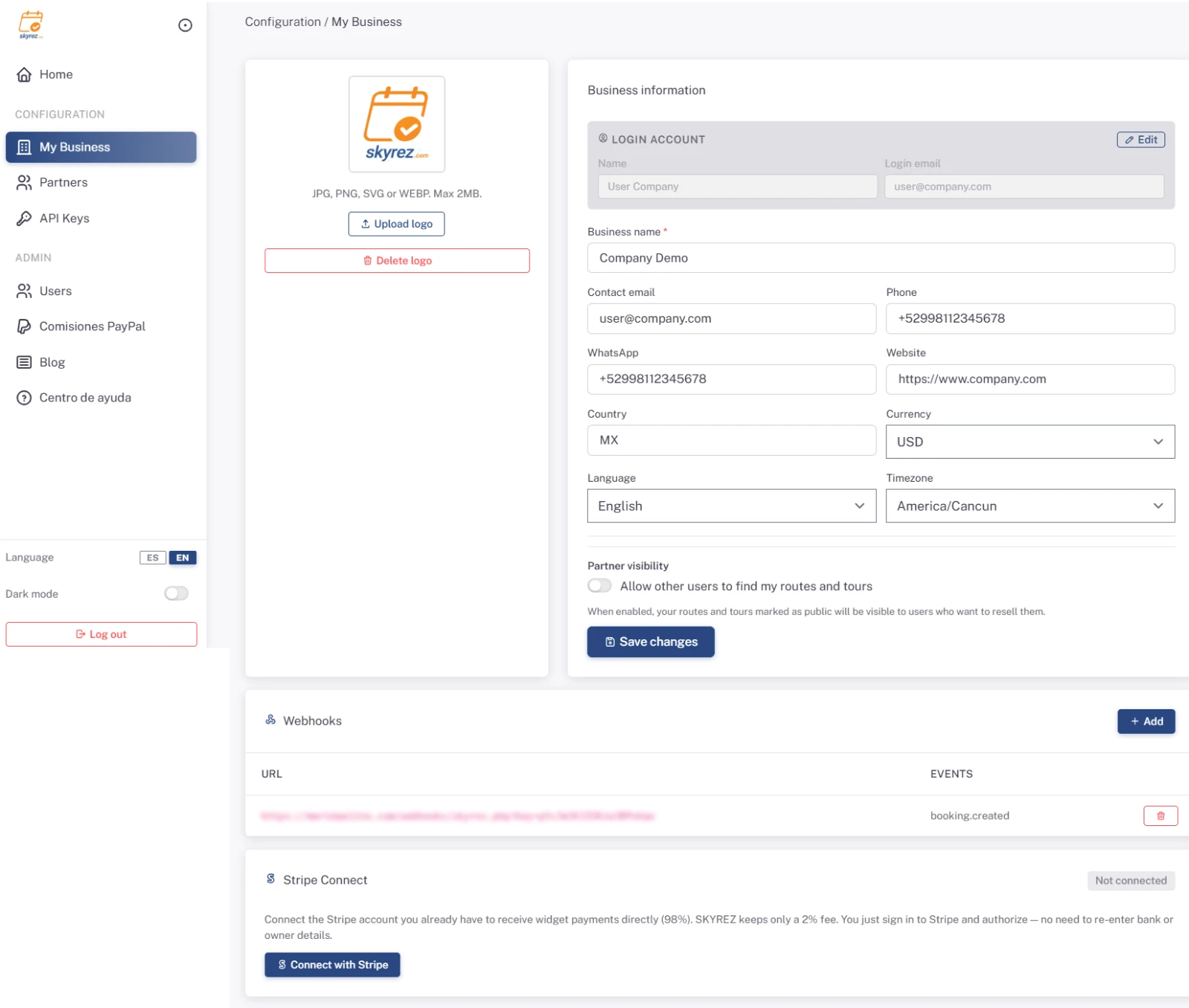
On the logo card click Upload logo, choose the image and then click Save logo. JPG, PNG, SVG or WEBP up to 2 MB are accepted. A square logo or one with a transparent background looks best.
3. Fill in your business information
Under Business information enter:
- Business name (required): the name your customers will see.
- Contact email, Phone and WhatsApp: how your customers can reach you.
- Website.
- Country: the two-letter code, for example
USorMX. - Currency: USD, MXN, EUR, CAD or GBP.
- Language: your business's main language.
- Timezone: important so your booking dates and times are correct. For example, Cancún is
America/Cancun.
4. Save
Click Save changes.
Changing your login name or email
The email you log in with is separate from your business contact email. To change it, click Edit under Login account, type the new name or email and click Send code. You'll receive a 6-digit code at your current email; enter it under Authorization code and save.
For security, the code is always sent to your current email, not the new one.
Also on this page
- Stripe Connect: connect your Stripe account to take online payments. See Connect your Stripe account.
- Webhooks: notify another system whenever a booking is created, confirmed or cancelled. This is an advanced option; you only need it if you run your own system.
Was this article helpful?
Questions? [email protected]